Create a Video
Turn your storybook into a narrated animated video
Before you read this:
Overview
Turn any ToonyStory book into a narrated animated video. Each page becomes a scene with gentle animation and professional voiceover narration.
How to Create a Video
- Open your finished book from the dashboard
- Click the "Create Video" button
- Choose your narration method — AI Voice or Record My Own
- Set your creative direction and review the settings
- Click "Generate Video"
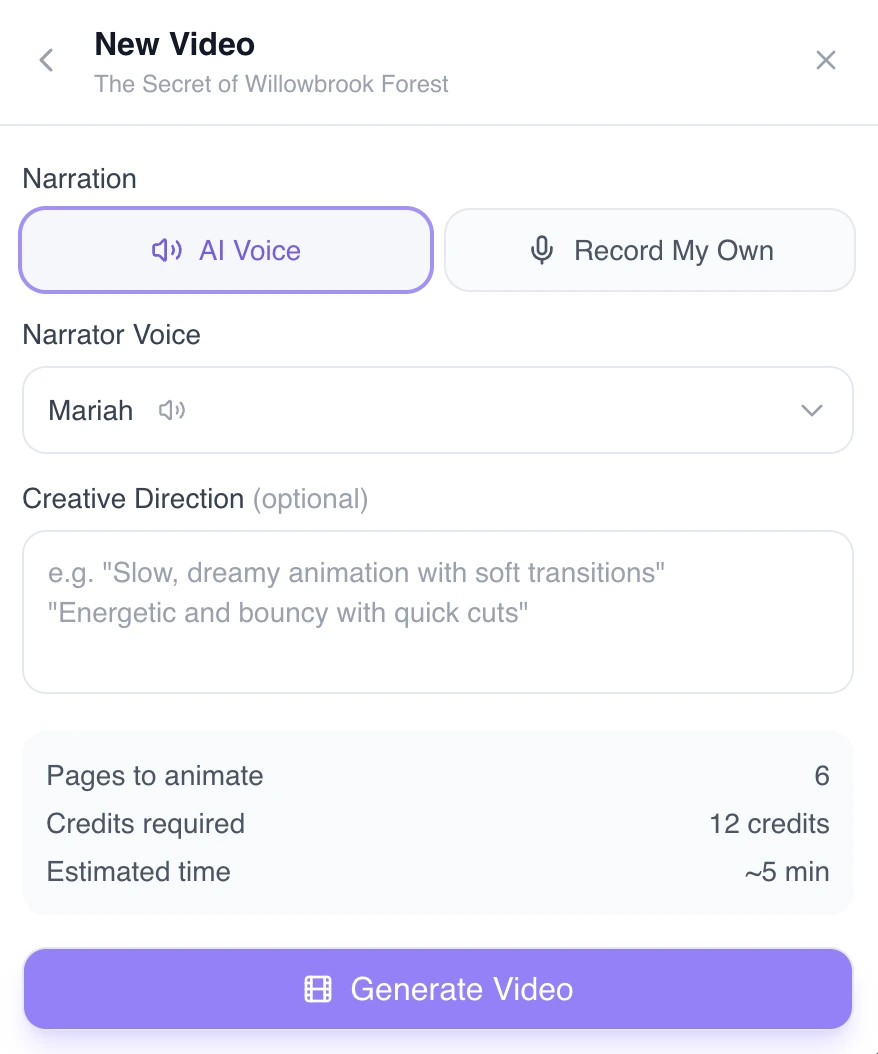
AI Voice Narration
Select a narrator voice and let our AI read the story aloud. Choose a creative direction to set the tone, then click Generate Video.
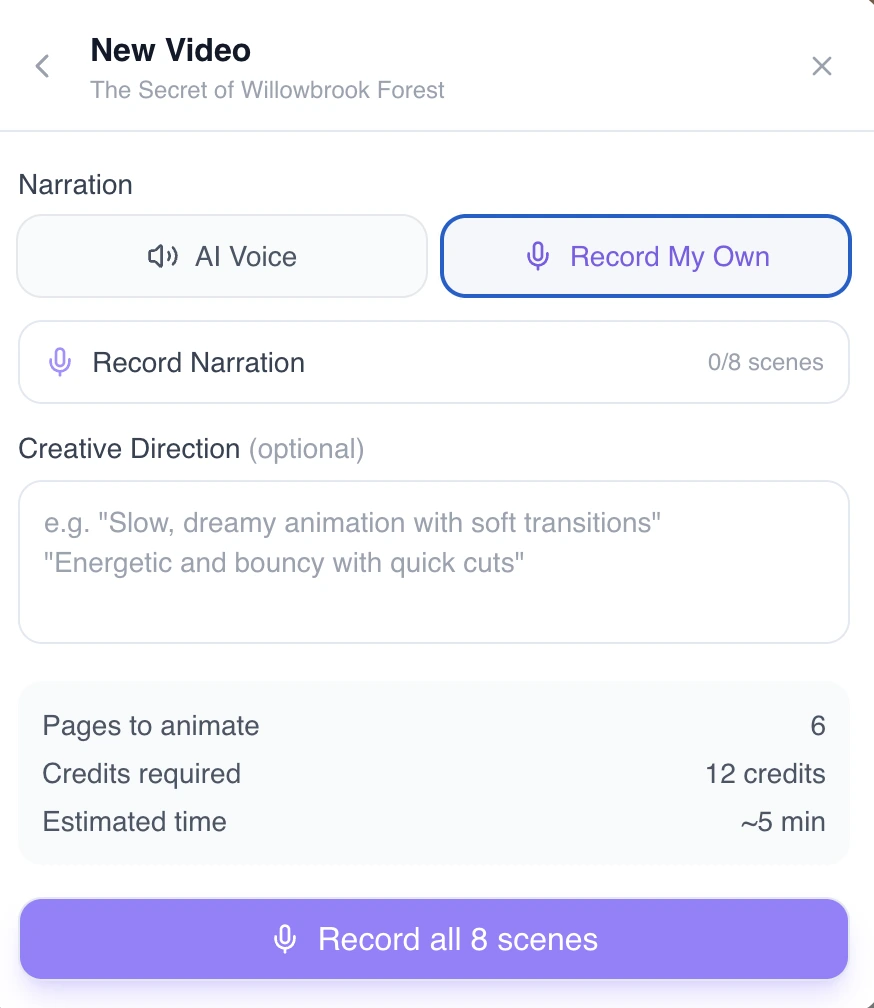
Record Your Own Narration
Prefer your own voice? Switch to the Record My Own tab to record narration for each scene yourself.
Video generation runs in the background — you'll receive an email when it's ready. Generation typically takes 10–20 minutes depending on the book length.
What You Get
Each page of your book becomes a video scene with:
- Animated illustrations — subtle camera pans and motion effects
- AI narration — natural-sounding voiceover reading the story text
- Smooth transitions — gentle fades between scenes
- Background music — optional soft background music
Video Length
Video length depends on how many pages your book has and how much text is on each page. A typical 12-page storybook produces a 2–4 minute video.
After Generation
Once your video is ready:
- Watch it directly in the app
- Download it to your device
- Share it with a link
- Post it to social media