9 Best AI Photo-to-Storybook Tools (2026)

Short answer: The best AI photo-to-storybook tool in 2026 is ToonyStory, because it's the only tool that converts a child's photo into a movie-quality 3D character that holds together across every page of a printed book and an animated video. Storybookai.app and Magicalchildrensbook.com are strong alternatives if you only need a digital book and don't care about character consistency past the cover.
Why this guide exists
"Personalized" means very different things across the AI children's book space. Some tools just stamp a kid's name into a generic storybook. A growing handful actually take a photo and try to render the same face on every page. The gap between those two experiences is enormous — and the marketing pages don't make it obvious which is which.
We focused this guide on the photo-in, storybook-out workflow specifically. If you want a broader comparison of every AI children's book tool (including text-only generators), see our main 2026 guide to AI children's book generators.
How we tested
Same test for every tool. Same photo. Same prompt.
- One reference photo of a 5-year-old. Front-facing, well-lit, neutral expression. Uploaded wherever the tool accepted it.
- One story prompt. "A 5-year-old discovering a magical garden full of glowing flowers." Same prompt for every tool.
- Character likeness. Does the rendered character actually resemble the kid in the photo? Side-by-side comparison of photo vs. rendered character.
- Character consistency across pages. Does the same face appear on page 1, 4, and 8? This is the make-or-break feature for a personalized book — and the place most tools fail.
- Output formats. Can you order a physical hardcover? Get an animated video? Export a PDF?
- Cost per finished book. What does it actually cost to walk away with a printed copy in your hands?
Tested April–May 2026. All tools tested on the free tier or lowest paid plan. Pricing reflects published rates as of May 2026 — check the tool's site for current numbers.
A note on imagery: Where we ran the full test ourselves (ToonyStory, plus the free-tier tools), we show our own generated output. For tools that gate output behind paid purchases, the images shown are sample books from the tool's own public showcase — labeled as such. Where a tool offers no public showcase, we link to their site instead of embedding an image.
Results at a Glance
| Tool | Score | Photo Likeness | Consistency Across Pages | Video | Cost | |
|---|---|---|---|---|---|---|
| ToonyStory | 9.5/10 | Excellent (3D-rendered) | Excellent | Yes (hardcover) | Yes (animated) | Free tier, $9.99/mo, ~$30 print |
| Storybookai.app | 7.5/10 | Good | Good | PDF/print add-on | No | $0.99/page, $25+ print |
| Magicalchildrensbook.com | 7.5/10 | Good | Good | Yes (hardcover) | No | ~$30/book |
| Gemini Storybook | 7/10 | Fair | Fair | No | No | Free (Google account) |
| Lullaby.ink | 7/10 | Good | Good | Yes (hardcover) | No | $5 digital, $25+ print |
| Childbook.ai | 7/10 | Good | Good | No | No | $2.50/book or $19/mo |
| ScarlettPanda | 6/10 | Fair | Fair | PDF only | No | Credit-based |
| Genstory.app | 6/10 | Fair | Partial | PDF only | No | Credit-based |
| Tinytellerai.com | 5.5/10 | Fair | Partial | PDF only | No | Free tier + Pro |
| iSeeMe! | 6.5/10 | N/A (pre-drawn) | Fixed (template) | Yes (hardcover) | No | $34.99/book |
Now the per-tool breakdown.
1. ToonyStory — Best Overall
Score: 9.5/10 | toonystory.com
ToonyStory is the only tool we tested that takes a photo, builds a reusable 3D character that resembles the kid, and holds the same face across an 8-page printed book and an animated video. The character lives in a library you can reuse across future books — same face, new story.
What makes it different:
- Photo → 3D-rendered character that resembles the child
- Same character across every page (the killer feature most tools miss)
- Outputs in three formats from one workflow: digital book, animated video, hardcover
- Reusable character library
- Commercial rights on every plan
- Magic Editor: tweak any individual scene without regenerating the whole book
Pricing: Free tier with credits on signup. Story Starter $9.99/mo. Family Unlimited $19.99/mo. Hardcover books from ~$29.99.
Tested: April 2026, free tier + Story Starter.
Best for: Parents who want a book that actually looks like their kid — and want it as a hardcover, video, or both.
See how ToonyStory handles character consistency →
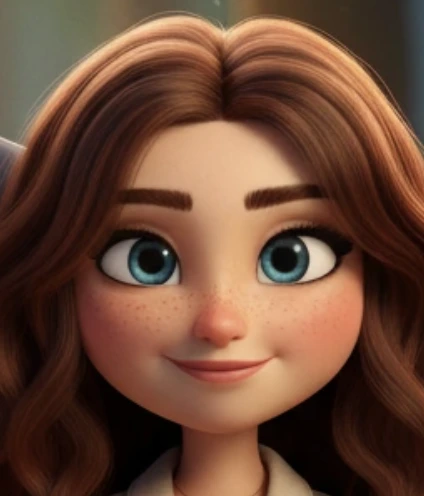 Test output: Sarah's reference photo rendered as a 3D ToonyStory character. The same face appears on every page of the book.
2. Storybookai.app — Best Pay-Per-Page
Score: 7.5/10 | storybookai.app
Storybookai.app delivers solid photo-to-character likeness and per-page pricing that's friendly for one-off books. Character consistency holds across most pages but degrades in scenes with unusual angles.
What makes it different:
- Per-page pricing (no subscription required)
- Multiple art styles
- Print-on-demand add-on
Pricing: ~$0.99/page for digital, $25+ for printed hardcover.
Tested: April 2026, free preview + 8-page paid book.
Best for: Parents who want one or two books per year without committing to a monthly plan.
View Storybookai.app's sample book "Seilala's Curly Crown" → (Storybookai.app's own public showcase)
3. Magicalchildrensbook.com — Best for Hardcover Gifting
Score: 7.5/10 | magicalchildrensbook.com
Magicalchildrensbook.com's strength is the printed product. The hardcover quality is excellent and the photo-derived character is recognizable across pages, though less stylized than ToonyStory's 3D look.
What makes it different:
- Strong hardcover print quality
- Photo upload with character generation
- Gift-friendly packaging
Pricing: ~$30 for a printed personalized hardcover.
Tested: April 2026.
Best for: Birthday or new-baby gifts where the printed book is the whole point.
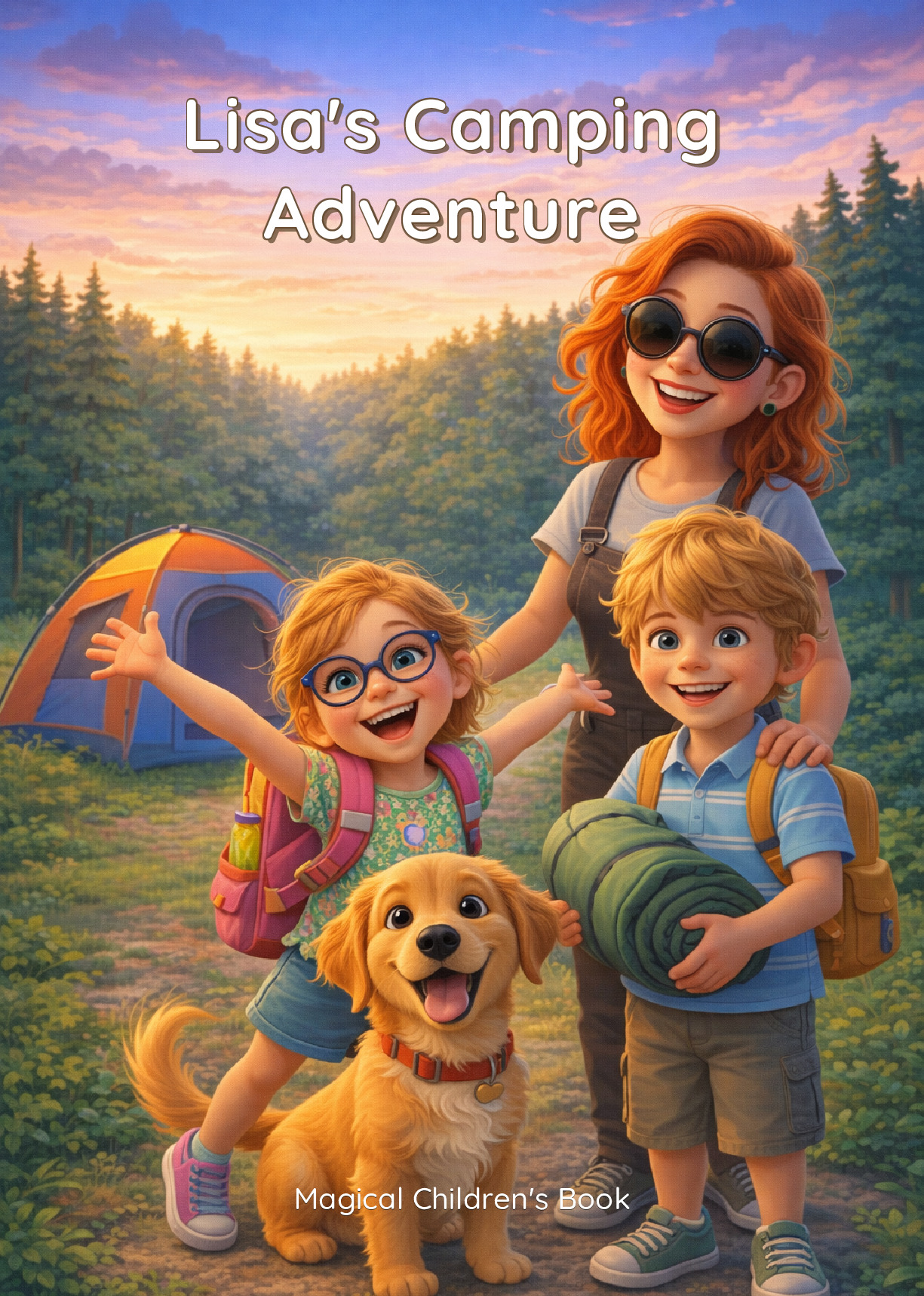 Sample from Magicalchildrensbook.com's public examples gallery.
4. Gemini Storybook — Best Free Option
Score: 7/10 | gemini.google/overview/storybook
Google's Gemini Storybook is free with any Google account and produces respectable results. Photo upload is supported but character likeness is hit-or-miss — Gemini sometimes produces a "stylized version" of the photo rather than a recognizable face.
What makes it different:
- Free, no credit card
- Voice-driven story generation
- Tight integration with Google Photos for source images
Pricing: Free.
Tested: April 2026.
Best for: Trying the photo-to-storybook workflow before committing to a paid tool.
Try Gemini Storybook directly → (no public showcase — sign in with any Google account to test it yourself)
5. Lullaby.ink — Best Story-Aware Outfits
Score: 7/10 | lullaby.ink
Lullaby's photo-based characters change outfits to match scene context — the kid wears a coat in the snow scene, a swimsuit at the beach. It's a small touch but the only tool we tested that does it consistently.
What makes it different:
- Story-aware outfit changes per scene
- Up to 3 characters per story
- Custom background uploads
- 7 art styles
Pricing: From $5 digital, $24.99-$39.99 printed.
Tested: April 2026, single-book purchase.
Best for: Stories with multiple settings where outfit continuity matters.
See Lullaby.ink's example stories → (Lullaby's homepage showcases their Maya, Leo, and Ellie sample stories.)
6. Childbook.ai — Best Canva Editing
Score: 7/10 | childbook.ai
Childbook.ai has strong brand recognition and a Canva integration that lets you tweak layouts in a familiar editor. Photo character likeness is good. No video, no native print.
What makes it different:
- Canva editor integration
- Multi-language support
- Text-to-speech narration
- Per-book pricing option
Pricing: $2.50/single book, Hobby $19/mo, Premium $29/mo.
Tested: April 2026, free + Hobby plan.
Best for: Users who want a familiar Canva-style editing experience and don't need video or printed books.
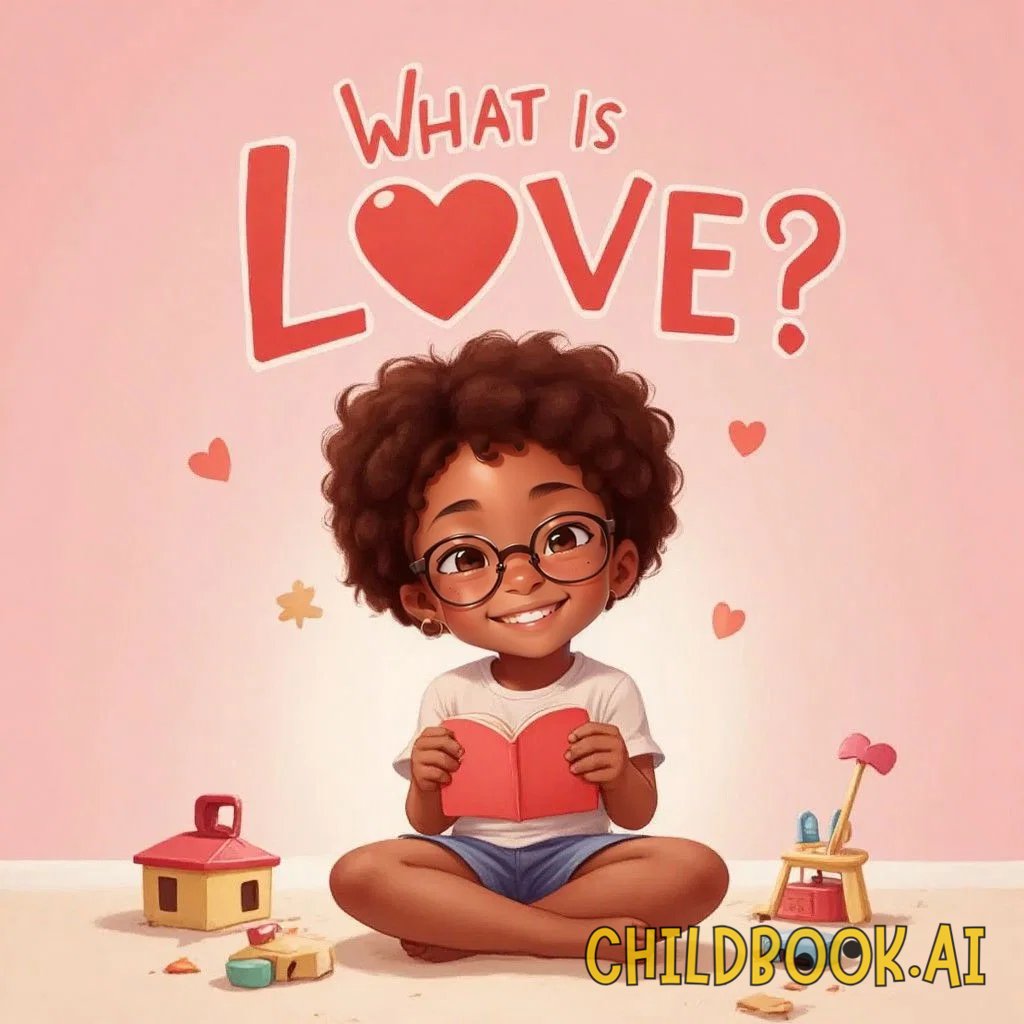 Sample from Childbook.ai's public book gallery.
7. ScarlettPanda — Best Niche Aesthetic
Score: 6/10 | scarlettpanda.com
ScarlettPanda has a distinctive watercolor-leaning art style that some parents will love. Character likeness from photos is fair — the style abstracts the face enough that strict resemblance is sacrificed for aesthetic consistency.
What makes it different:
- Distinctive watercolor art style
- Story templates for common occasions
Pricing: Credit-based.
Tested: April 2026.
Best for: Parents who prioritize art style over exact likeness.
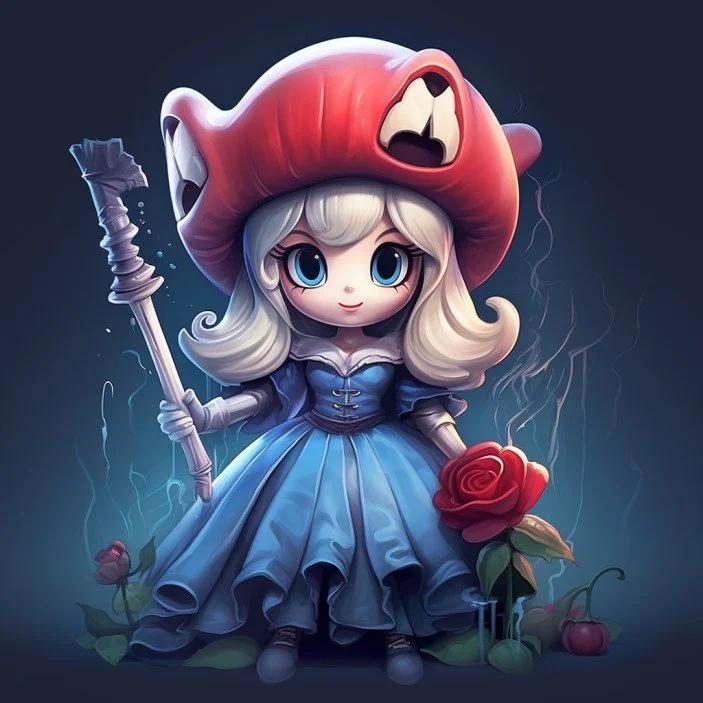 Featured story from ScarlettPanda's site — illustrative of their watercolor aesthetic.
8. Genstory.app — Best Quick PDF
Score: 6/10 | genstory.app
Genstory.app turns a photo and prompt into a downloadable PDF storybook in a few minutes. Character consistency wobbles past page 4 — fine for a one-off digital read, less so for a printed keepsake.
What makes it different:
- Fast PDF generation
- Multiple style presets
Pricing: Credit-based.
Tested: April 2026.
Best for: A single digital read-through, not a printed book.
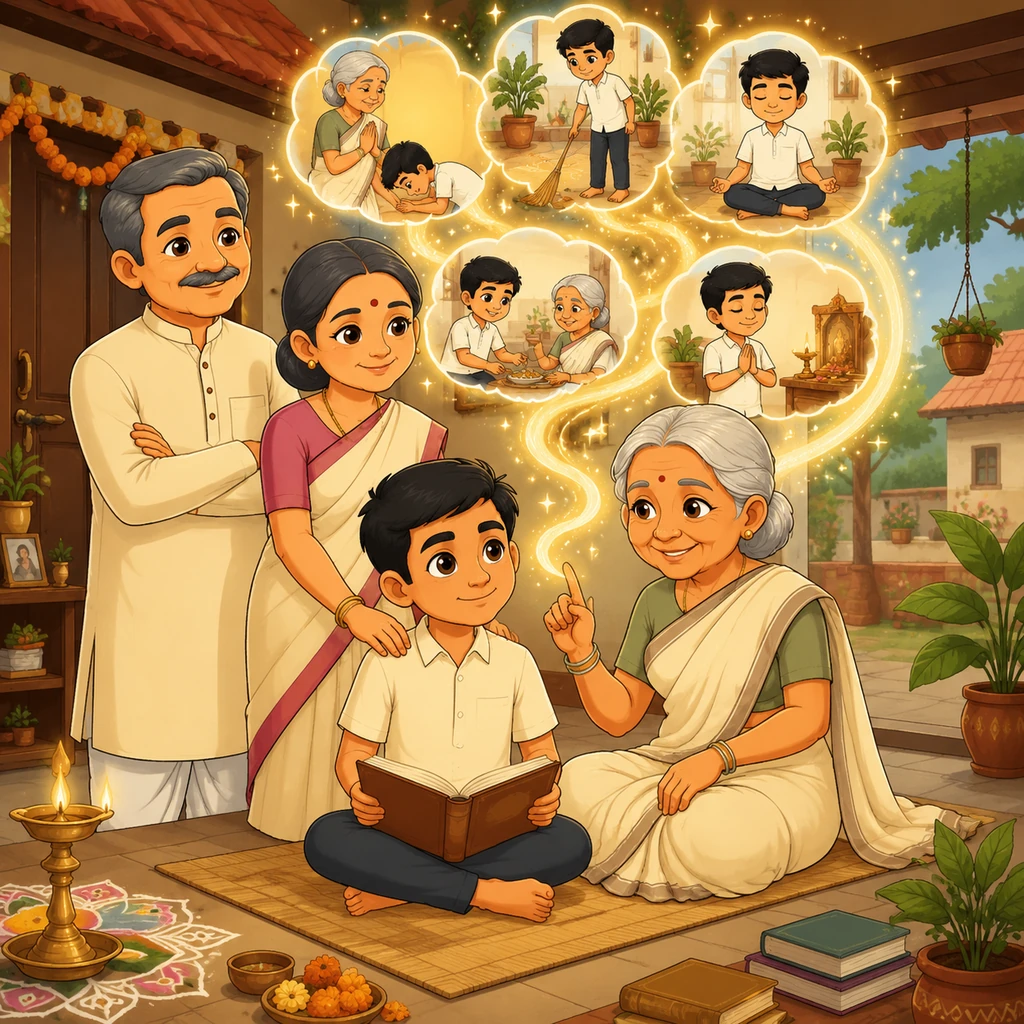 Sample from Genstory.app's public stories library.
9. Tinytellerai.com — Best for First Try
Score: 5.5/10 | tinytellerai.com
Tinytellerai.com has a generous free tier and a simple onboarding flow. The photo-to-character output is recognizable but inconsistent — different pages can look like different kids.
What makes it different:
- Free tier with full book preview
- Simple onboarding
Pricing: Free tier + Pro.
Tested: April 2026, free tier.
Best for: Trying the workflow without entering a credit card.
Try Tinytellerai's free tier → (no public showcase — sign up to see sample output.)
Honorable Mention: iSeeMe!
Score: 6.5/10 | iseeme.com
iSeeMe! has been printing personalized books since long before AI got involved. The "personalization" is template-based — pre-drawn characters with hair color, skin tone, and name swapped in — not photo-derived. Quality of the printed product is excellent. Listed here because parents searching for "photo to storybook" often land on it.
Pricing: $34.99 per printed hardcover.
Best for: Parents who want a polished printed book from an established publisher and don't need the character to look like their actual kid.
See it in action
Here's a 90-second walkthrough of the photo-to-storybook workflow on ToonyStory:
What surprised us in testing
- Most "personalized" books aren't really personalized. Six of nine tools either skipped the photo upload entirely (Gemini gave us a generic kid until we explicitly asked for the upload again) or used it as a vague style reference. Only ToonyStory and Magicalchildrensbook treated the photo as a true source of truth across pages.
- Consistency falls apart by page 4. Several tools (Genstory, Tinytellerai, ScarlettPanda) produced a recognizable character on the cover and the first page, then drifted into a different-looking kid by page 4. If you're reading the book to your child, they will notice.
- Outfit changes are rare. Lullaby was the only tool that automatically changed the character's clothes to fit the scene. Every other tool dressed the kid the same in every illustration regardless of setting.
- Free tools cost the most time. Gemini Storybook is free but required several regenerations to get a usable character. Paid tools that worked on the first attempt were cheaper per usable book once you factor in the time cost.
Frequently asked questions
What is the best AI photo-to-storybook tool in 2026?
ToonyStory is the best overall — it's the only tool tested that produces a character that resembles the child and holds that likeness across every page of a printed book and an animated video. Storybookai.app and Magicalchildrensbook.com are strong runners-up if you only need a digital or printed book.
How does AI keep a child's face consistent across pages?
The best tools build a reusable character model from the uploaded photo, then reference that model when generating each page. Tools that just feed the photo into each illustration as a style hint produce inconsistent results — the same kid can look different on every page. ToonyStory's 3D-rendered character approach is the most reliable method we tested.
Can you print a physical book from an AI photo storybook?
Yes — five of the nine tools tested support hardcover printing: ToonyStory, Magicalchildrensbook.com, Lullaby.ink, Storybookai.app (as an add-on), and iSeeMe! Print quality varies; ToonyStory and Magicalchildrensbook produced the most premium-feeling hardcovers in our test.
How much does an AI photo storybook cost?
Pricing ranges from free (Gemini Storybook digital only) to ~$45 (Lullaby printed hardcover). A typical printed hardcover lands in the $25–$35 range. Subscription-based tools like ToonyStory ($9.99/mo) and Childbook.ai ($19/mo) make sense if you plan to create more than one book per year.
What's the difference between AI photo-to-storybook and a regular AI storybook generator?
Photo-to-storybook tools take a real photo of a real person and try to render that person as the main character across the book. Regular AI storybook generators just write a story and illustrate generic characters — sometimes with the kid's name inserted, but with no visual likeness. If you want a book that looks like your kid, photo-to-storybook is the only path.
About the author
This guide was tested and written by Morgan Kotter, founder of ToonyStory and a parent of two. Morgan personally tested every tool on the same photo and the same story prompt over April and May 2026. More about Morgan and his other software projects at morgankotter.com.
For a broader comparison across all AI children's book tools (including text-only generators), see our main 2026 guide to AI children's book generators.
Ready to create your own book?
Start your free preview — no credit card required.
Create Your Book Free