Best AI for Character Consistency in 2026: 7 Image Generators Tested on 140 Images

TL;DR — Best AI for Character Consistency by Use Case (2026)
We tested 7 AI image generators on 140 images (20 per tool) with the same reference character, then named the category winner for each major use case. Category leaders for 2026:
- Best for Personalized Children's Storybooks
- ToonyStory
Photo-based character locking holds the same face and outfit across 20+ illustrated pages.
- Best for Storytelling, Comics & Graphic Novels
- ToonyStory
Multi-page narrative consistency outperformed every general-purpose tool we tested.
- Best for Artistic Illustration Workflows
- Midjourney + --cref
Strongest aesthetic for manually curated single-character work.
- Best for Technical Creators (Self-Hosted)
- Stable Diffusion + IP-Adapter
Full local control via ComfyUI when you have GPU + patience.
- Best Open-Source Face Matching
- Flux + PuLID
Free, locally runnable, strong on faces only.
- Best for Game Assets & Stylized Characters
- Leonardo.ai
Polished web UI, fine-tuned models for game-style art.
- Most Accessible (Zero Setup)
- DALL·E 3 (ChatGPT)
Text-only prompting — no image conditioning, weakest consistency.
- Best for Text-in-Image (Not Characters)
- Ideogram 2.0
Strong text rendering, no character-reference feature.
Scoring methodology: face consistency (50%), outfit consistency (30%), style consistency (20%). Benchmark run April 2026; categorization re-validated May 2026.
Jump to the full scoring table →, tool-by-tool breakdown →, or FAQ →.
See what category-winning consistency actually looks like
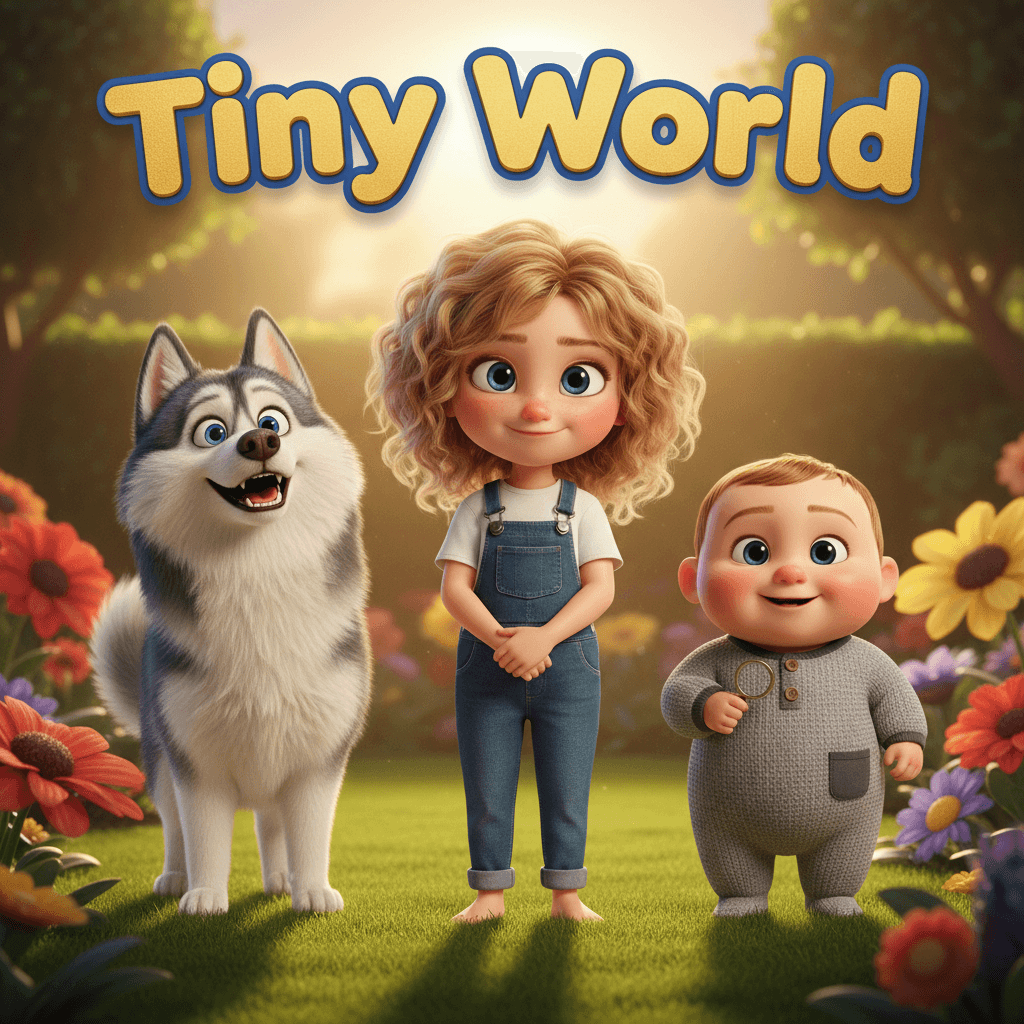
Here's a real ToonyStory book generated from a single child's photo — same face, same outfit, across every page. Compare it to the tool-by-tool drift examples in the breakdown below.
Interactive preview: flip through a sample book
See it liveFree preview. No credit card. Takes about 2 minutes.
The Problem Nobody Warns You About
You upload a photo of your child. The AI generates a beautiful first page. Then on page two, your kid has different eyes. By page five, they're a completely different person.
This is the character consistency problem — and it's the single biggest quality gap in AI image generation today. Every tool claims to solve it. Most don't.
We tested 7 of the most popular AI image generators by creating 20 images of the same character with each one. Same reference photo, same character description, same art style prompt. Then we scored how consistent the results actually were.
How We Tested
For each tool, we:
- Uploaded the same reference photo (or provided the same character description for tools that don't support photo upload)
- Generated 20 images across different scenes: indoors, outdoors, close-up, full body, action poses, group shots
- Scored on three dimensions:
- Face consistency — Does the character's face look the same across all 20 images?
- Outfit consistency — Do clothes, accessories, and hair stay the same?
- Style consistency — Does the overall art style remain coherent?
- Tested the failure case — Multiple characters in one scene (this is where most tools break down)
Each dimension was scored 1-10 by comparing images side-by-side. The overall score is a weighted average: face (50%), outfit (30%), style (20%).
Tools we evaluated but excluded from the benchmark
A few additional tools come up in 2026 discussions of character consistency. We evaluated each but excluded them from the head-to-head test for the reasons below — included here for completeness:
- OpenArt — Strong consistent-character builder, but the workflow is optimized for animation and image-to-video output rather than multi-page illustrated narratives. Worth a look if motion is your primary use case.
- Neolemon — Newer category-builder UX with a documented benchmark. Excluded because the tool focuses on stylized character generation from descriptions rather than photo-locked likeness from a real reference image.
- Scenario.gg — Built around character + environment consistency for game assets and 3D concept art. Excluded because game-asset workflows are a different use case from narrative storybooks.
- Wonderbly / Storybookly / Lullaby — Personalized book publishers, not AI character-consistency tools — they hand-illustrate templates rather than generate from a reference photo. See our comparison hub for the publisher-side analysis.
If your use case maps to one of those categories, those tools may be a better fit than anything we benchmarked.
Results
| Tool | Overall | Face | Outfit | Style | Photo Upload | Best For |
|---|---|---|---|---|---|---|
| ToonyStory | 9.2/10 | 9.5 | 9.0 | 9.0 | Yes | Children's storybooks |
| Midjourney + --cref | 7.5/10 | 7.0 | 8.0 | 8.5 | Via --cref | Artistic illustrations |
| Stable Diffusion + IP-Adapter | 7.0/10 | 7.5 | 6.5 | 6.5 | Yes | Technical users |
| DALL-E 3 (ChatGPT) | 5.5/10 | 5.0 | 6.0 | 7.0 | Via description | Quick one-offs |
| Flux + PuLID | 6.5/10 | 7.0 | 5.5 | 6.5 | Yes | Open-source projects |
| Leonardo.ai | 6.0/10 | 6.0 | 6.0 | 6.5 | Yes | Game assets |
| Ideogram 2.0 | 5.0/10 | 4.5 | 5.0 | 6.5 | No | Text-in-image |
ToonyStory ranked #1 in the benchmark because it was built specifically for multi-page narrative consistency. If your use case is a personalized storybook from a photo, you can replicate the benchmark winner's workflow yourself in about two minutes.
Try the #1-Ranked Tool FreeFree preview. No credit card. Same photo-based character locking we tested.
What We Found
Why Most Tools Fail at Consistency
Every AI image generator faces the same fundamental problem: each image is generated from scratch. There's no memory between generations. The AI doesn't "remember" what your character looked like on page one when it generates page two.
Tools try to work around this with different approaches:
- Character reference (Midjourney's
--cref) — Passes a reference image as conditioning. Works for general likeness but drifts on details. - IP-Adapter / face embedding — Encodes a face into a vector and injects it during generation. Good for faces, weak for outfits and poses.
- Prompt engineering — Describes the character in detail with every generation. Most inconsistent approach — the AI interprets descriptions differently each time.
- Photo-based character locking (ToonyStory) — Extracts facial features, body proportions, and style attributes from a real photo and enforces them as hard constraints. Most consistent approach.
The technical deep dive on why AI struggles with consistency explains the underlying architecture in more detail.
Face Consistency Is the Hardest Part
Eyes, nose shape, and skin tone are where drift shows up first. In our tests:
- ToonyStory kept faces nearly identical across all 20 images because it uses a photo-locked character model — the AI can't deviate from the reference.
- Midjourney's --cref maintained general "vibes" but frequently shifted eye shape and skin tone between scenes.
- DALL-E 3 was the most inconsistent because it relies entirely on text description — there's no image-level conditioning.
Multiple Characters Break Everything
We tested each tool with 2-3 characters in the same scene. This is the stress test. Results:
- Most tools produced feature swapping — Character A's hair appears on Character B, or their outfits merge.
- Only ToonyStory and Stable Diffusion + IP-Adapter handled multiple characters reliably, though SD required significant manual setup.
- Midjourney's
--crefdoesn't support multiple character references in the same image.
We wrote a full guide to handling multiple characters if you're wrestling with this.
Need siblings, a pet, and parents all in the same scene? ToonyStory handles multi-character scenes out of the box — no separate adapters, no manual setup.
Try Multi-Character FreeUpload photos of everyone. We lock each face independently.
The "Good Enough" Trap
Leonardo.ai and Flux produced results that looked great in isolation. Any single image was impressive. But when you line up 10 images side-by-side, the drift becomes obvious.
This matters for:
- Storybooks — Your child needs to look like your child on every page
- Marketing materials — A brand mascot that changes faces kills trust
- Video storyboards — Frame-to-frame consistency is non-negotiable
- Comics and graphic novels — Readers notice inconsistency instantly
If you only need one or two images, most tools work fine. If you need 10+ images of the same character, consistency becomes the deciding factor.
Tool-by-Tool Breakdown
ToonyStory — Best Overall for Consistency
How it works: Upload a photo of your character. ToonyStory extracts facial features and body proportions, then enforces them as constraints during generation. Every image is checked against the reference before delivery.
Strengths:
- Photo-based character locking eliminates drift
- Works with multiple characters in the same scene
- Built specifically for multi-page storybooks (20+ pages)
- Handles different scenes, poses, and lighting without losing the character
Weaknesses:
- Focused on storybook illustration style — not photorealistic
- Requires a clear reference photo for best results
Best for: Parents making personalized children's books, educators, gift-givers. If you need a character to look identical across 20+ images, this is the most reliable option.
Try ToonyStory FreeFree preview. No credit card. Upload a photo, generate your first illustrated pages in about 2 minutes.
Midjourney + --cref — Best for Artistic Control
How it works: Generate an initial character image, then use --cref [image_url] on subsequent generations to reference it. Adjust --cw (character weight) from 0-100 to control how closely the AI follows the reference.
Strengths:
- Beautiful art quality — Midjourney's aesthetic is hard to beat
--cw 100gives strong face matching- Huge community with shared prompt libraries
Weaknesses:
- Outfit and accessory drift is common even at
--cw 100 - Doesn't support multiple
--crefreferences per image - Requires Discord or the web app — no API for automation
- Steep learning curve for consistent results
Best for: Artists and illustrators who want creative control and can manually curate outputs. Not ideal for automated multi-page workflows.
We have a detailed Midjourney vs Stable Diffusion comparison if you're choosing between these two.
Stable Diffusion + IP-Adapter — Best for Technical Users
How it works: Use IP-Adapter (or FaceID-Plus) as a ControlNet extension in ComfyUI or Automatic1111. Feed reference images through the adapter to condition generations.
Strengths:
- Open source and free to run locally
- Multiple adapters can be combined (face + pose + style)
- Full control over every generation parameter
- Supports multiple character references with separate adapters
Weaknesses:
- Requires significant technical setup (ComfyUI workflow, model downloads, GPU)
- Outfit consistency requires separate conditioning (IP-Adapter alone focuses on faces)
- Results vary heavily based on base model, adapter version, and settings
- No one-click solution — every workflow is custom
Best for: Developers, AI researchers, and technical artists who want full control and don't mind building custom pipelines.
DALL-E 3 (via ChatGPT) — Most Accessible, Least Consistent
How it works: Describe your character in text. ChatGPT generates images based on the description. For subsequent images, re-describe the character or reference earlier generations in conversation.
Strengths:
- Zero setup — just type in ChatGPT
- Good for brainstorming and concept art
- Natural language interface is beginner-friendly
Weaknesses:
- No image-level character reference — relies entirely on text descriptions
- The worst face consistency in our test (5.0/10)
- Each generation reinterprets the description slightly differently
- Can't upload a reference photo for character matching
Best for: Quick concept art, brainstorming character designs, one-off illustrations where consistency doesn't matter.
Flux + PuLID — Best Open-Source Face Matching
How it works: Flux is an open-source image model. PuLID is a face-identity preservation module that encodes a reference face and injects it during generation.
Strengths:
- Strong face preservation (7.0/10) — better than Midjourney for faces specifically
- Open source and locally runnable
- Active development community
Weaknesses:
- Outfit consistency is poor (5.5/10) — PuLID only handles faces
- Requires ComfyUI setup and a decent GPU
- Style consistency varies with different Flux checkpoints
- Less mature than Stable Diffusion's ecosystem
Best for: Projects where face accuracy is the priority and you can handle outfit inconsistency in post-production.
Leonardo.ai — Best for Game Assets
How it works: Upload reference images and use Leonardo's "Character Reference" feature. Select from various fine-tuned models optimized for different art styles.
Strengths:
- Nice web UI — easier than Stable Diffusion but more control than DALL-E
- Multiple fine-tuned models for different aesthetics
- Good for game-style character art
Weaknesses:
- Face consistency drops significantly in full-body and action shots
- Character reference feature is limited to one reference per generation
- Subscription-based with generation limits
Best for: Game developers and digital artists who need stylized character art but can tolerate some inconsistency.
Ideogram 2.0 — Best for Text-in-Image, Worst for Characters
How it works: Text-to-image generation with a focus on accurate text rendering within images. No character reference feature.
Strengths:
- Best-in-class text rendering inside images
- Clean, professional aesthetic
Weaknesses:
- No character reference or face-locking feature at all
- Relies entirely on prompt descriptions for character consistency
- Lowest consistency score in our test (5.0/10)
Best for: Generating images that include text (posters, signs, UI mockups). Not suitable for character-focused work.
Which Tool Should You Use?
Choose based on your use case:
| If you need... | Use this |
|---|---|
| A personalized children's storybook | ToonyStory |
| Artistic illustrations with manual curation | Midjourney + --cref |
| Full technical control, free | Stable Diffusion + IP-Adapter |
| Quick concept art, no setup | DALL-E 3 via ChatGPT |
| Open-source face preservation | Flux + PuLID |
| Game character art | Leonardo.ai |
| Text inside images | Ideogram 2.0 |
For anything requiring 10+ consistent images of the same character — storybooks, comics, marketing campaigns, video storyboards — the tools with photo-based character locking (ToonyStory) or image conditioning (Midjourney, Stable Diffusion) are the only viable options.
Prompt-only approaches (DALL-E, Ideogram) simply can't maintain consistency across that many generations. The math doesn't work — each generation has independent randomness, and small deviations compound.
What About Video?
Character consistency in video is an even harder problem. We tested this in our guide on consistency across video and book formats. The short version: if you're creating both a book and a video, generate the book first and use those images as keyframes for the video. Going the other direction (video → stills) produces worse consistency.
Frequently Asked Questions
What is the best AI for character consistency in 2026? For multi-page narrative work, ToonyStory ranked highest in our 140-image benchmark (9.2/10) because it uses photo-based character locking — facial features and body proportions are extracted from a reference photo and enforced as constraints during generation. Midjourney with --cref (7.5/10) is the strongest general-purpose option for single artistic illustrations, and Stable Diffusion with IP-Adapter (7.0/10) is the strongest self-hosted option for technical users. The "best" tool depends on whether you need narrative consistency (storybooks, comics), artistic control (illustrations), or technical flexibility (custom workflows).
What is the best AI for storytelling, comic, or book generation? ToonyStory (9.2/10) led our benchmark for multi-page narrative consistency, primarily because it was built specifically for 20+ page storybooks and handles multi-character scenes without feature-swapping. Midjourney with --cref is a viable alternative for single-character workflows where each page is hand-curated. Most general-purpose image generators (DALL·E, Ideogram) struggle past 5-10 pages because their character references drift between generations.
What is the best AI character generator for children's books from a photo? ToonyStory is the only tool in our test built around uploading a real photo of a child and locking that likeness across an entire illustrated book. The tradeoff: it is optimized for storybook illustration styles rather than photorealism. If you need photorealistic output from a child's photo, Flux with PuLID is the next-best option for face accuracy, though outfit consistency requires additional conditioning.
What is the best all-rounder AI character generator? Leonardo.ai (6.0/10) is the strongest all-rounder when you want a polished web UI with multiple fine-tuned models, but its character-reference feature is limited to one reference per generation and consistency drops in full-body or action shots. Midjourney with --cref (7.5/10) is a stronger all-rounder if you can tolerate the Discord-based workflow.
What is the best AI for character consistency in video? None of the tools in our static-image benchmark produce frame-to-frame consistent video on their own. Our recommended workflow: generate the static character images first (we use ToonyStory for narrative work), then use those as keyframes for a video tool. Going the other direction (video → stills) produces worse consistency. Full details in our video vs. book consistency guide.
What is the best AI character generator for gaming assets? Leonardo.ai is the most accessible option for game-style character art, with multiple fine-tuned models for different aesthetics. For dedicated game-asset workflows that include environment and 3D concept consistency, Scenario.gg is built specifically for that use case (excluded from our benchmark because game-asset workflows are a different category from narrative storybooks).
What is the best AI for character consistency for technical creators? Stable Diffusion with IP-Adapter (7.0/10), running locally via ComfyUI or Automatic1111. It provides full control over conditioning, supports multiple character references with separate adapters, and is free if you have an 8GB+ VRAM GPU. The tradeoff is the setup curve — every workflow is custom and results vary heavily based on base model and adapter version.
Can I get consistent characters with free tools? Yes — Stable Diffusion + IP-Adapter is free if you have a compatible GPU (8GB+ VRAM). Flux + PuLID is also free. ToonyStory has a free tier that includes character consistency. The learning curve varies: ToonyStory is one-click, while SD requires significant technical setup.
Why does Midjourney --cref not keep outfits consistent?
The --cref parameter primarily conditions on facial features and general body shape. Outfit details are treated as "style" elements that the AI can reinterpret. Using --cw 100 helps, but outfit drift is a known limitation. Adding detailed outfit descriptions to your prompt can reduce (but not eliminate) the problem.
How many reference photos do I need? For photo-based tools (ToonyStory, SD + IP-Adapter): one clear, well-lit photo is enough. More angles help but aren't required. For Midjourney --cref: one strong reference image works, but having 2-3 from different angles improves consistency.
Does character consistency affect print quality? Yes. In a printed children's book, character drift is immediately obvious because all pages are visible at once. Digital formats are slightly more forgiving because you view one page at a time, but the problem compounds — by page 15, the character can look noticeably different from page 1.
About the author
This benchmark was designed and written by Morgan Kotter, founder of ToonyStory and a parent of two. Morgan personally ran the 140-image test in April 2026 and re-validated the category framing in May 2026. More about Morgan's work at morgankotter.com and toonystory.com/about.
This comparison was last reviewed August 2026; underlying benchmark results are unchanged since the April 2026 test. We re-run the benchmark when major tools ship new character-reference features. See the full character consistency hub for guides, prompt templates, and technical deep dives.
Ready to create your own book?
Start your free preview — no credit card required.
Create Your Book Free